The Tools Behind a Clean Replay and Graphics Desk
A look at the controllers, cue sheets and graphics templates our operators rely on to keep replays and lower thirds timed to the programme, from rehearsal to the last credit.
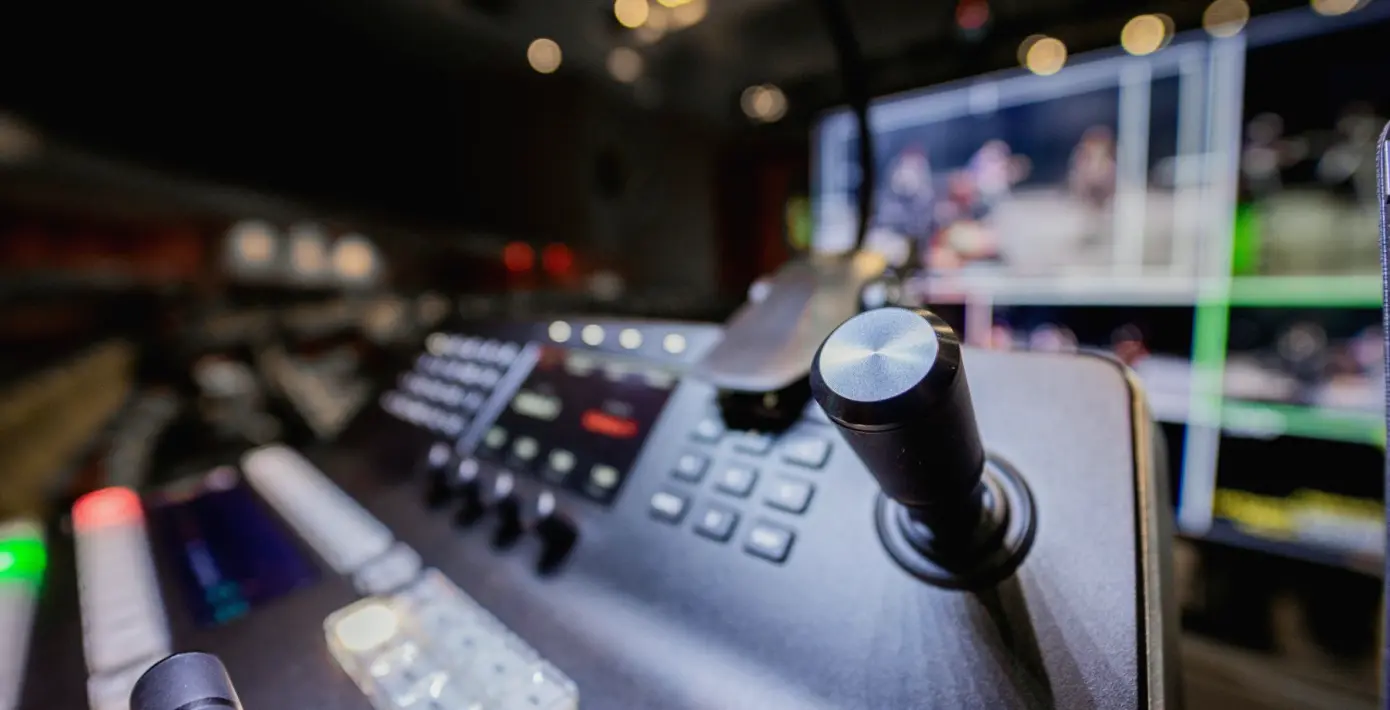
The controller under the operator's hand
Most of a replay operator's work happens on a single controller with a jog wheel, a lever for speed and a row of buttons for cueing. It looks simple, but the feel of it matters. A lever that is slightly stiff or a wheel that drifts changes how precisely a clip can be started, and we ask to try the desk before a booking so there are no surprises on the day.
In mid autumn the shows we cover tend to be indoor concerts, panel recordings and evening sport, all with long runs and little room for a restart. Dan and the other operators bring their own habits for button layout, but the desk has to match what the gallery expects, so the first job on any site is to agree a layout and write it down.
We keep that layout on a single printed card beside the controller. If a second operator steps in during a long day, they read the card, check the buttons against it and carry on without asking the director to pause.
- Jog wheel and lever tested before the doors open
- Button layout agreed with the director and written on a card
- Spare controller cable carried to every booking
Cue sheets that the whole gallery can read
The cue sheet is the most useful tool on the desk and the least glamorous. It lists each replay and graphic in running order, with the trigger, the source and a short note on what the viewer should see. We write it in plain words so that the vision mixer, the director and the sound supervisor can all follow it at a glance.
A good sheet leaves space. Live shows move, and a segment that was meant to run for four minutes may stretch or collapse. We leave blank lines between entries and mark which items can be dropped if time runs short, so the operator is never forced to guess under pressure.
During rehearsal we mark the sheet in pencil, then tidy it before transmission. Anything crossed out stays legible, because a sudden change of plan often brings back an item that seemed dead ten minutes earlier.
- Running order with trigger, source and a short note
- Blank lines left for items that move
- Droppable items marked in advance
Graphics templates and how we prepare them
Lower thirds, scores, captions and logos are built from templates, and the quality of those templates decides how calm the desk feels. We ask for names, titles and spellings well before the show, ideally as a single text document, and we load them into the graphics system in the order they will appear.
Spelling errors on air are the most common graphics fault, and almost all of them come from late changes typed in a hurry. For that reason we check every name against the producer's list, read each caption aloud once, and flag anything unusual such as a hyphenated surname or an unfamiliar place name.
Templates are also tested for legibility on the smaller screens many viewers use. A caption that looks fine on the gallery monitor can be hard to read on a phone, so we adjust size and contrast before the first rehearsal rather than after.
- Names and titles supplied as one text document
- Every caption read aloud against the producer's list
- Legibility checked at small screen sizes
Timing a replay against the programme
A replay earns its place only if it lands at the right moment. The operator watches the live feed, keeps a rolling record of the last few minutes and has the next clip cued and ready. When the director calls for it, the clip must start cleanly, at the right speed and from the right frame.
We work to a simple habit: mark early, trim later. The moment something notable happens, the operator tags it, then spends the quiet seconds that follow choosing the best in and out points. This keeps the first replay quick and leaves time for a better angle to follow.
Communication with the director is short and fixed. The operator says what is ready, the director says when to take it, and neither of them fills the intercom with anything else. That discipline matters more than any piece of equipment on the desk.
Backups, notes and tidy habits
Replay systems record continuously, and we do not trust any single recording. A second record path runs alongside the main one, so a fault on one disk or one input does not leave a gap in the archive. We confirm both are running before the show goes to air and check them again at each break.
Notes are part of the toolkit as well. After every booking the operator writes a few lines on what worked, what slowed the desk down and what to change next time. Those notes go back into the next cue sheet, which is how small improvements add up over many shows.
The desk itself stays tidy. Cables are routed away from the controller, drinks are kept off the surface and spare batteries sit in the same place every time. Calm work depends on small details of that kind.
- Second record path confirmed before and during the show
- Short written notes after each booking
- Same place for every spare and every cable
What to ask before booking an operator
If you are planning a show that needs replays or on-screen graphics, a few questions will tell you a lot. Ask who will sit at the desk, what controller they are used to and how they prefer to receive names and running orders. A confident operator will answer without hesitation.
Ask also how the desk is backed up and what happens if a clip is missed. The honest answer is that a missed moment is sometimes unavoidable, but a prepared operator has a plan for the next best option and tells the director at once.
We are glad to talk through a running order before any commitment is made, and the contact page is the place to start. A short conversation about your programme usually settles the practical questions quickly.
A clean replay and graphics desk comes from ordinary tools used with care: a controller that feels right, a cue sheet everyone can read, templates checked twice and a backup that runs unseen. None of it is dramatic, and that is the point. When the desk is calm, the programme looks effortless, and the director can think about the show instead of the equipment.